

Leadership
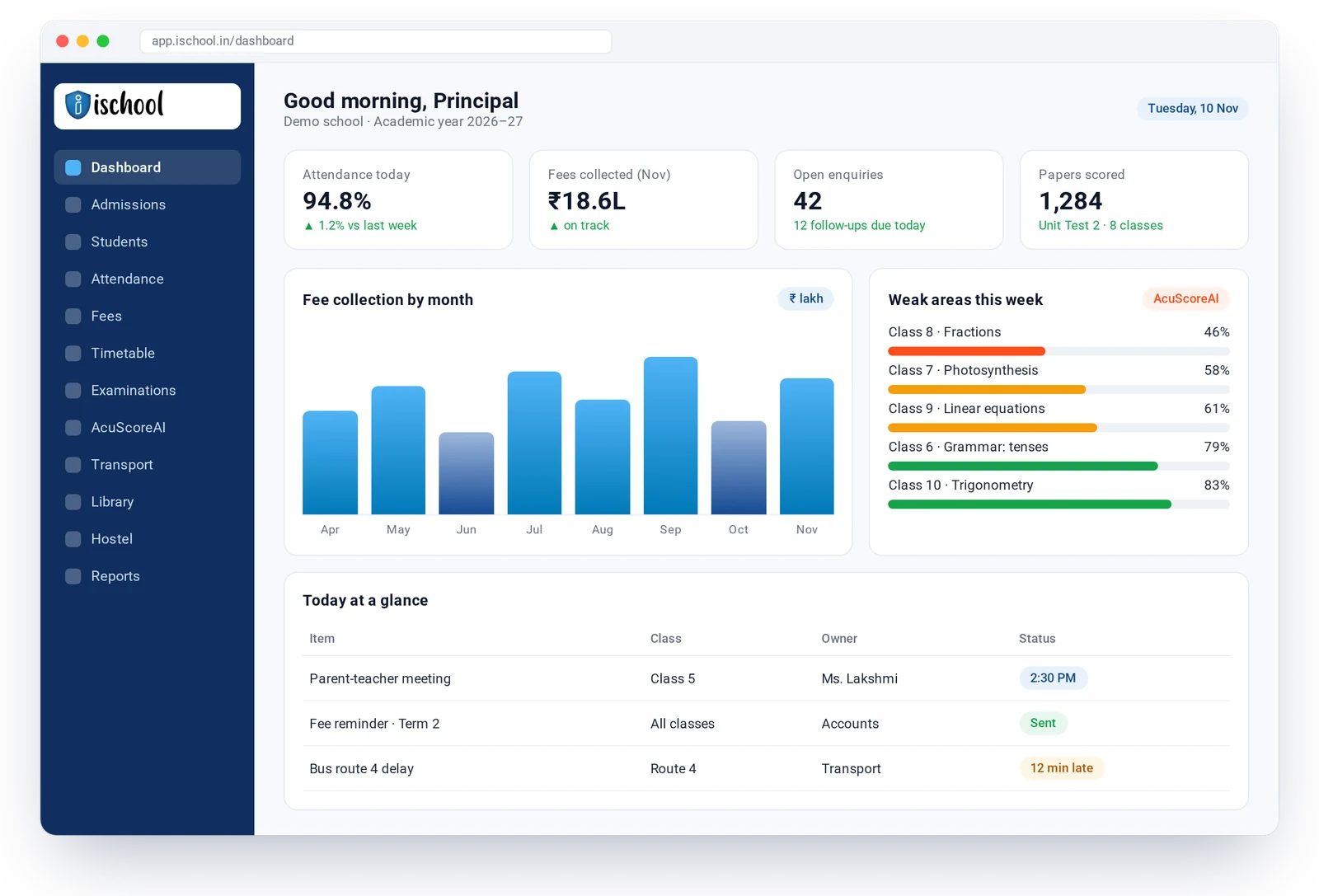
Live dashboards for attendance, fees, admissions and results across every branch.
iSchool runs admissions, fees, attendance, timetables, exams, transport and a parent app on one cloud platform, and AcuScoreAI scores every answer sheet and shows each student exactly where they are weak.

students in the school group iSchool works with.
AcuScoreAI is iSchool’s AI scoring assistant. It scores each student’s answer sheet against the school’s own marking scheme, breaks the result down by topic, and flags the topics where the student is weak. Teachers review and approve every mark before results reach students and parents.
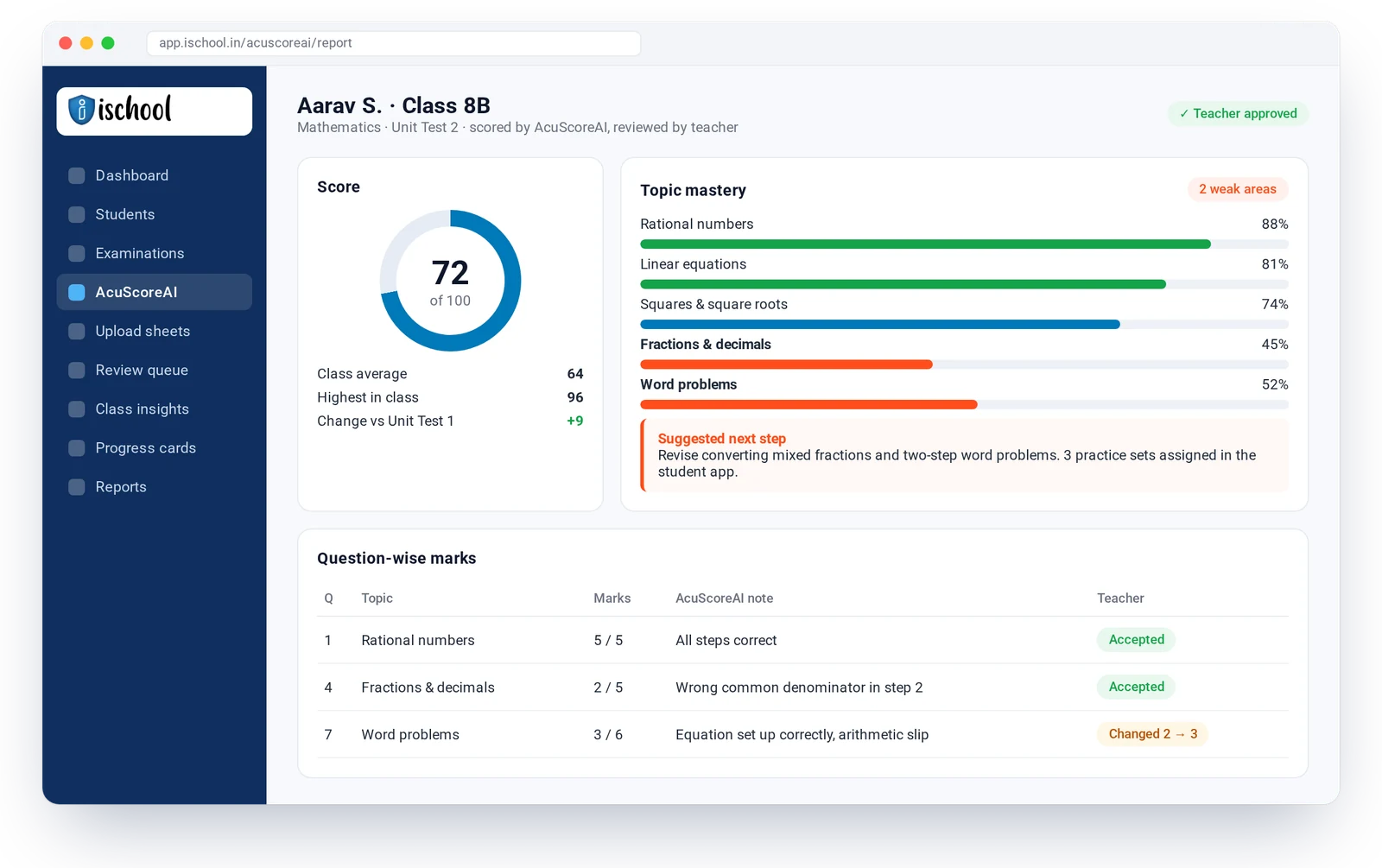
Add the question paper, marks per question and the topic each question tests.
Scan or upload the sheets class by class.
Each answer gets a proposed mark and a short reason.
The teacher accepts or changes marks, then approves the class.
Students, parents and teachers see the score, the weak topics and what to practise next.
Pick the modules you need today and add more as you grow. Every module shares one student record, so nothing is typed twice.
AI scoring of answer sheets that also shows each student’s weak areas, with the teacher in charge of every mark.
Explore AcuScoreAIDraft lesson plans, worksheets and question papers from your syllabus in minutes, then edit them your way.
Learn moreLive dashboards for principals and management, and the reports you need with a plain-English search.
Learn moreFrom first enquiry to enrolment: follow-ups, applications, student IDs and admission trends.
Learn moreClash-free timetables, syllabus tracking by class and branch, homework and lesson progress.
Learn moreExam set-up for any pattern, online exams, question bank and custom progress cards.
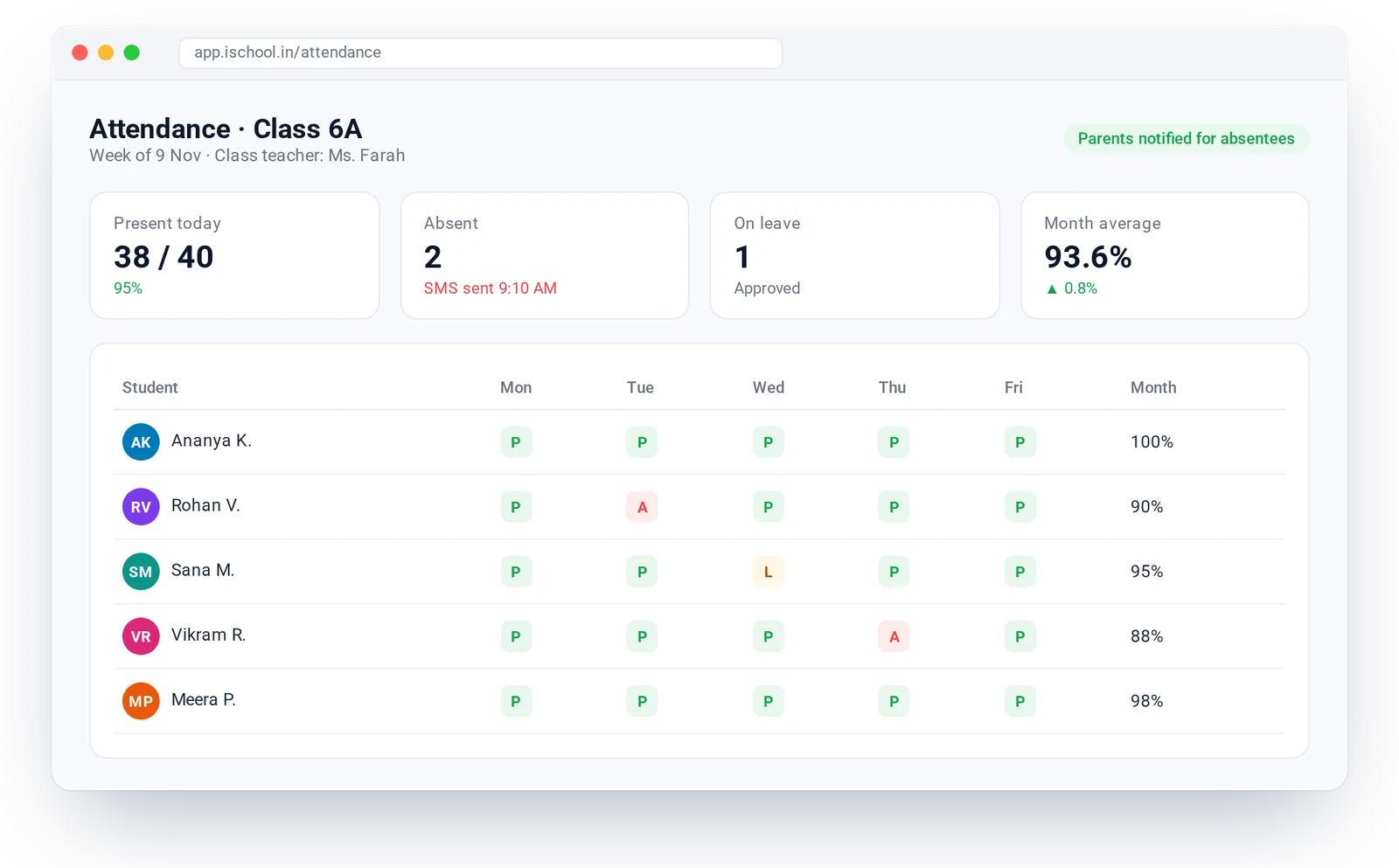
Learn moreStudent and staff attendance, manual or automatic, with instant alerts to parents.
Learn moreFlexible fee structures, online and counter payments, QR receipts, dues follow-up and cash flow.
Learn moreA school-branded app for parents, students and teachers: attendance, marks, fees, bus and notices.
Learn moreSMS, app notifications, circulars and feedback, so every parent hears from the school on time.
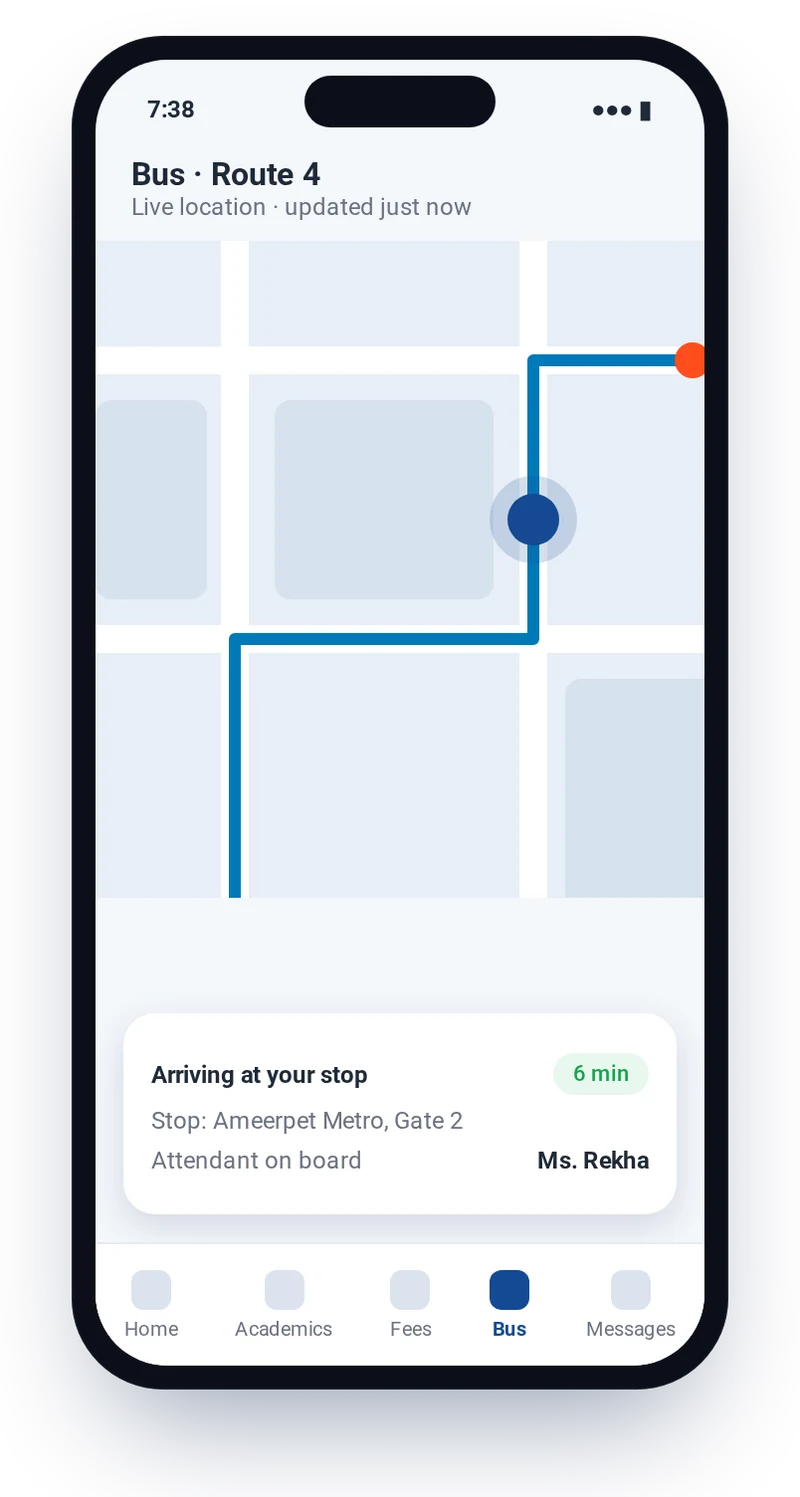
Learn moreRoutes, live bus tracking for parents, trip logs, fuel, repairs and renewals in one place.
Learn moreRooms and allotment, mess and stores consumption, per-head costs and pocket money.
Learn moreBarcode issue and return, stock, fines and reminders for a well-run school library.
Learn moreTrack assets and consumables by serial number or barcode, with dashboards by branch.
Learn moreSet-up, data migration from your current system and training for every team.
Learn moreLive dashboards for attendance, fees, admissions and results across every branch.

Clash-free timetables, quick attendance and AI scoring with weak areas they can act on.

Admissions, fee receipts, dues and deposits handled in a few clicks.

Attendance, marks, weak areas, fees and the school bus, all in one app.
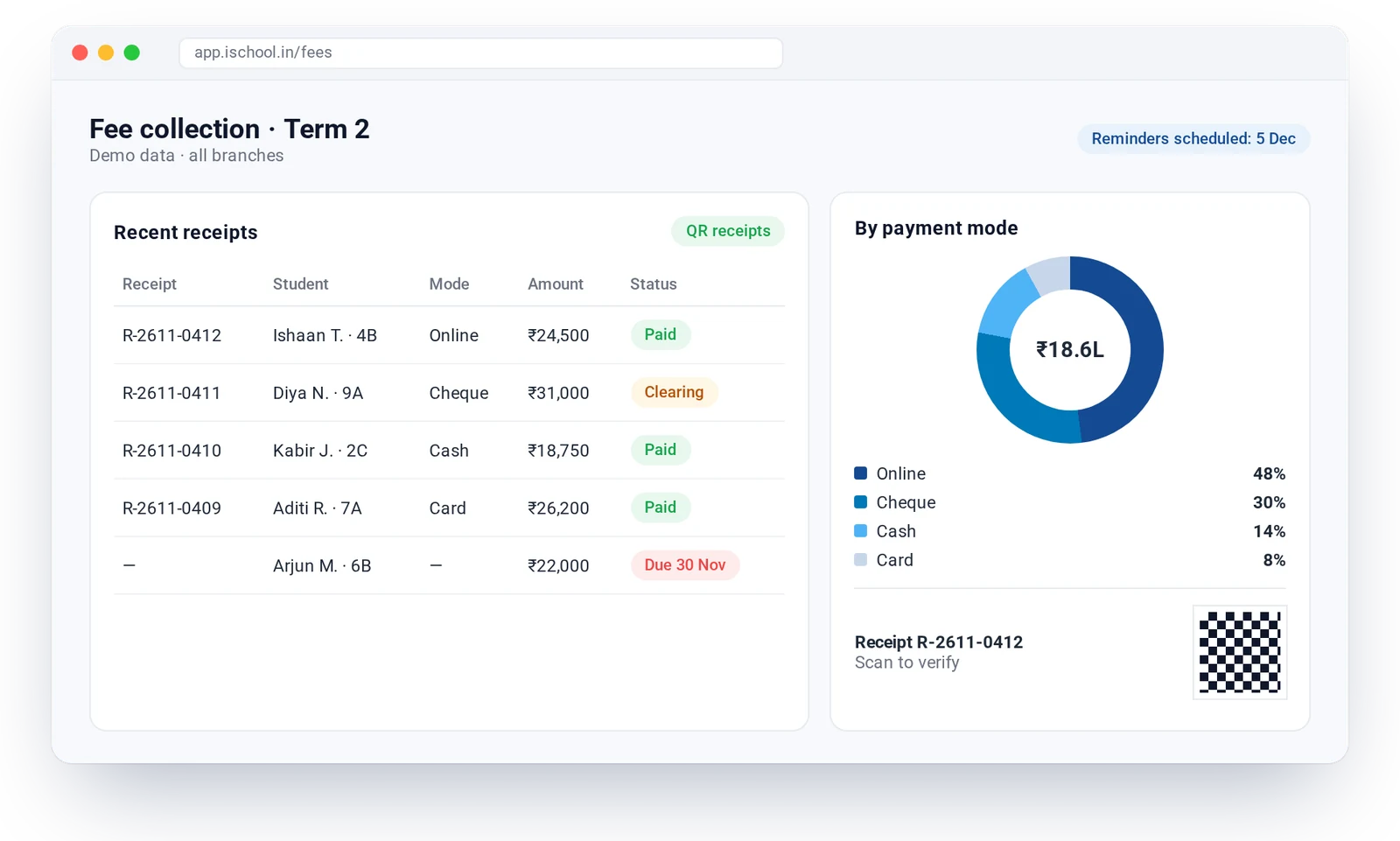
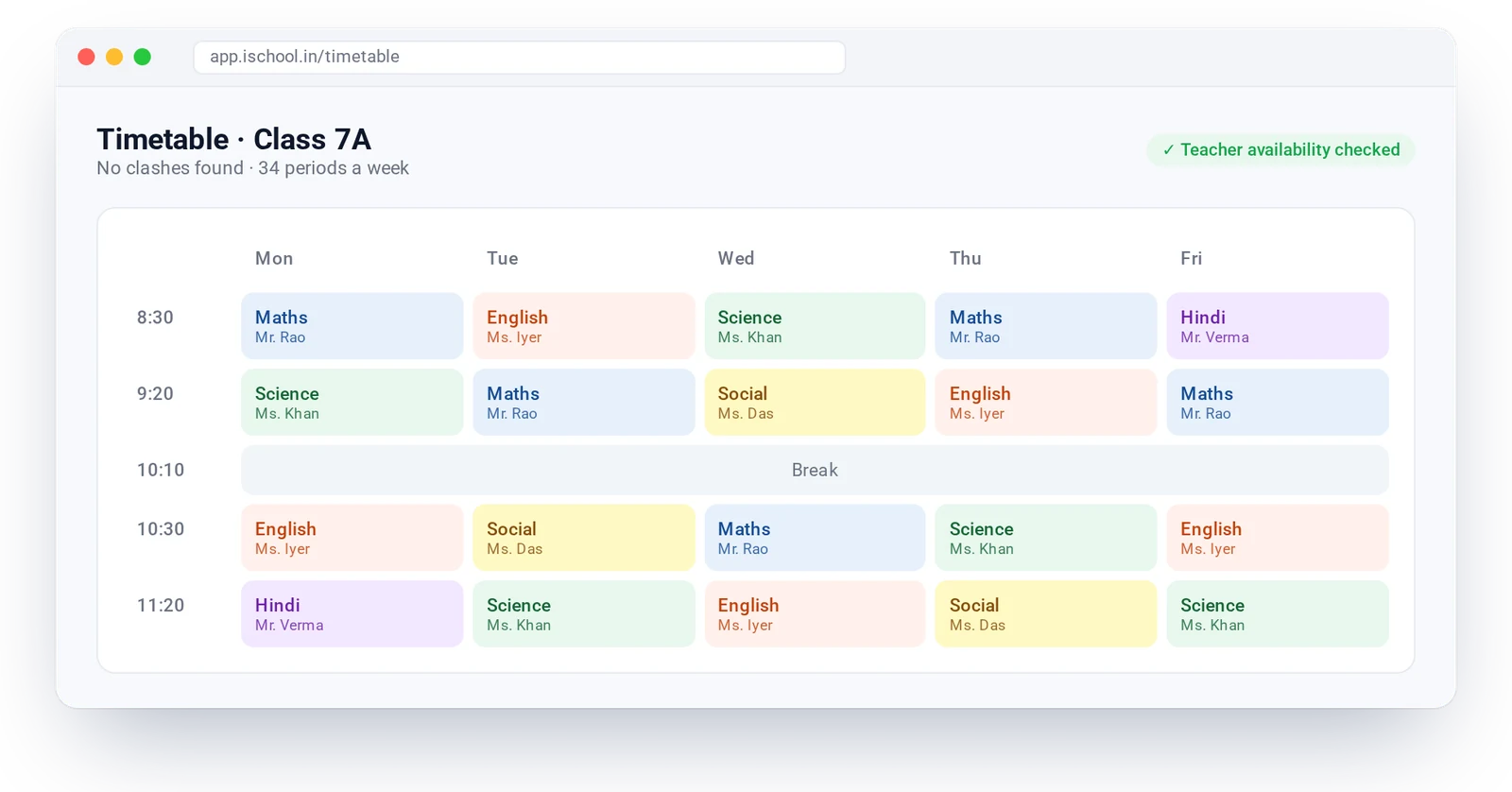
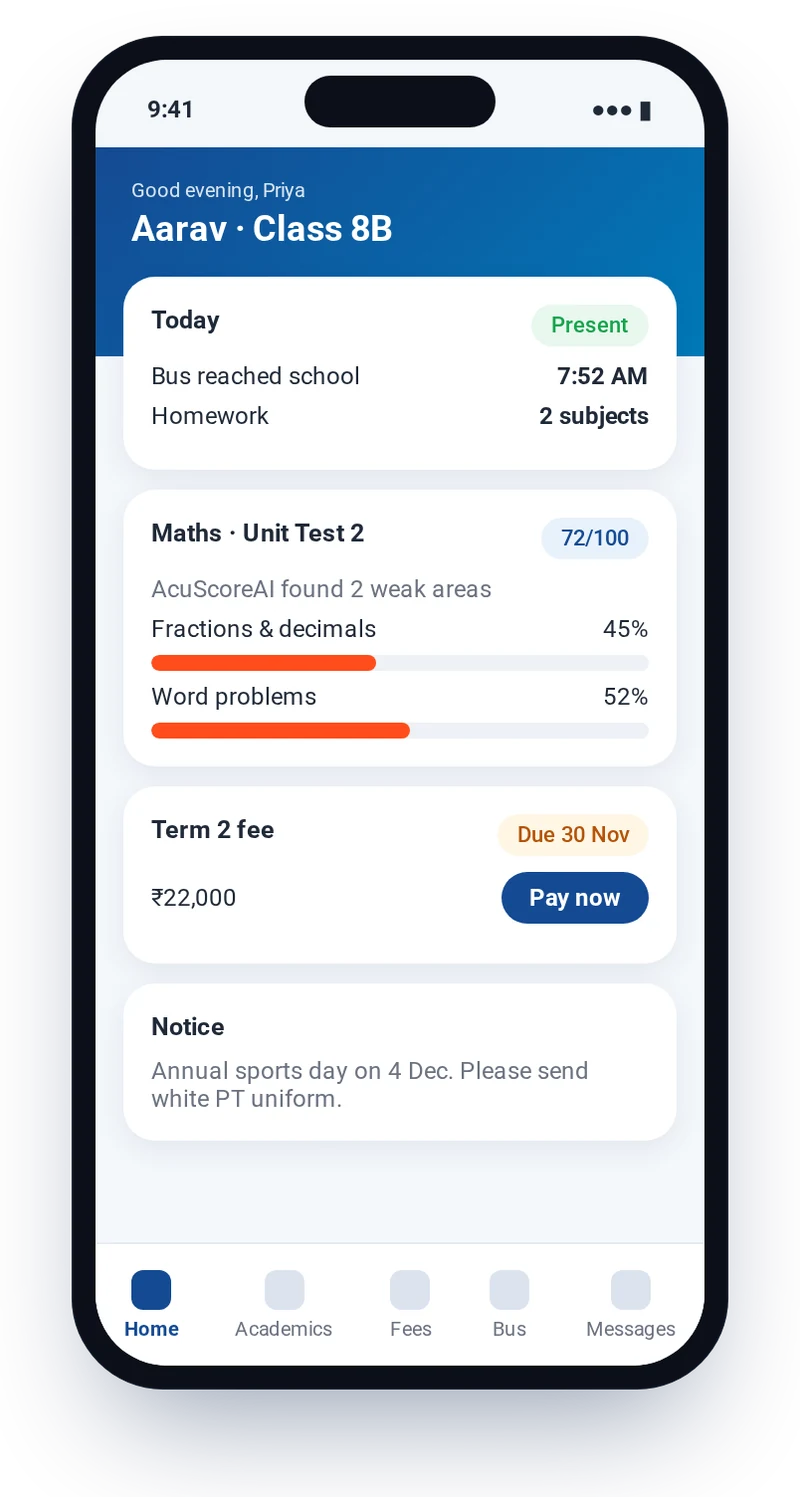
The iSchool app gives parents, students and teachers one place for attendance, timetables, homework, marks and AcuScoreAI weak areas, fee payments, live bus location and school notices. It can carry the school’s own name and logo.

Short, direct answers about iSchool and AcuScoreAI.
iSchool is a cloud school management platform. It brings admissions, academics and timetable, exams, attendance, fees, transport, hostel, library, communication and a parent app together with AcuScoreAI, an AI module that scores answer sheets and shows each student’s weak areas.
AcuScoreAI is iSchool’s AI scoring assistant. It scores each student’s answer sheet against the school’s marking scheme, shows the topics where the student is weak and suggests what to practise. Teachers approve every mark.
School owners, principals, teachers, office and accounts staff, parents and students. It works for a single school or a multi-branch group.
Yes. Parents see attendance, homework, marks and weak areas, fees due, the live bus location and school notices, and can pay fees in the app.
Yes. Syllabus, fees and finance can be set per branch, and leaders see branch-wise summaries on one dashboard.
iSchool works with a school group that has more than 1,70,000 students.
Pricing depends on the number of students and the modules a school chooses. Book a demo or contact us for a quote.
Book a demo. After a discovery call, our team sets up iSchool, migrates your existing data and trains your staff before go-live.
Book a 30-minute walkthrough. We will show you the modules you need and AcuScoreAI on a sample of your papers.