
A report a parent can actually use
Students do not only see a percentage. They see where marks were earned or missed, what went well, what to work on, and a short plan. Teachers share it when they are ready — as a PDF, in the student app, or at the parent-teacher meeting.
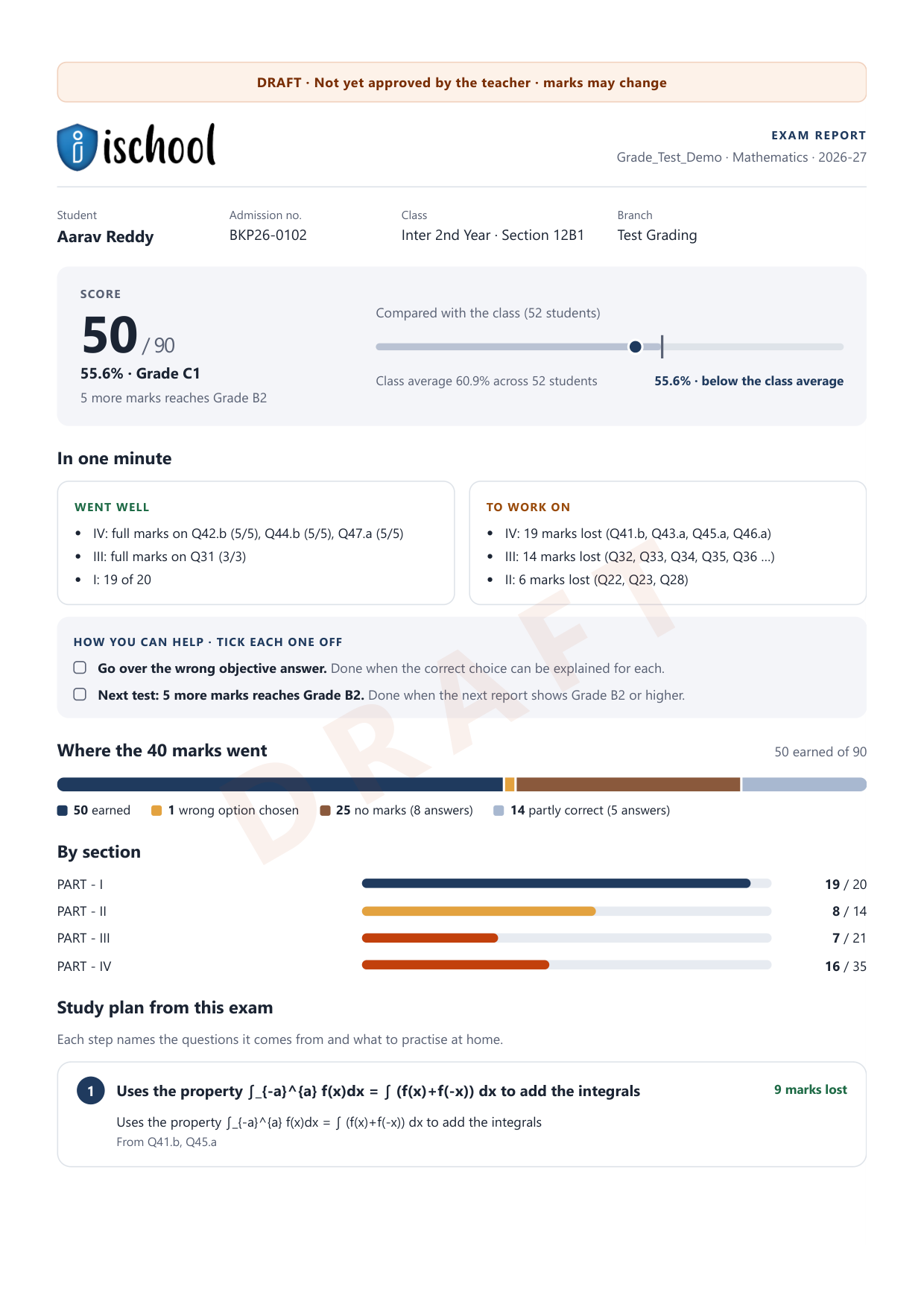
Five pages that explain the marks, not just the total
- Marks for each question, including left blank, wrong, or partly right
- Strengths and weak areas named by topic, not in general terms
- A study plan and a ‘how you can help’ checklist for the week
- Scores by section and chapter, and the trend across earlier papers
When do students see their AcuScoreAI report?
Only after a teacher approves the sheet, and only if the school has switched student access on. Students never see the answer key.
What is in the 5-page student PDF?
Score and class position, Went Well and To Work On highlights, question-by-question feedback, a personalised study plan, and a simple home-practice checklist a parent can follow.
Who writes the parent-teacher meeting note?
The teacher does. AcuScoreAI drafts a short brief from the approved marks and its feedback; the teacher edits it in the meeting workspace and chooses when to share it. Nothing goes home without that step.
How can the report be shared?
As a downloadable PDF, in the student app, on WhatsApp or by email, or as a printed A4 brief. Families can mark a meeting note as seen once they have read it.

A short brief, edited by the teacher, then shared
- A meeting note drafted from official marks and AcuScoreAI feedback, in English or bilingual
- The teacher edits any section and adds their own words before it is shared
- The family reads it in the app, downloads a PDF and can mark it as seen
- Teachers can also review flags, approve sheets and share a report from their phone
See a student report built from your own paper.
We will mark a sample and show the PDF, the study plan and a draft parent-meeting brief your teachers can edit.