
Fees & Accounts: collect on time, reconcile without effort
Flexible fee structures, online and counter payments, QR receipts, dues follow-up and cash flow.

What is Fees & Accounts?
iSchool Fees & Accounts lets a school set up any fee structure, collect fees online or at the counter by cash, cheque or card, issue QR-coded receipts, remind parents about dues and track every rupee of income and expense across branches.
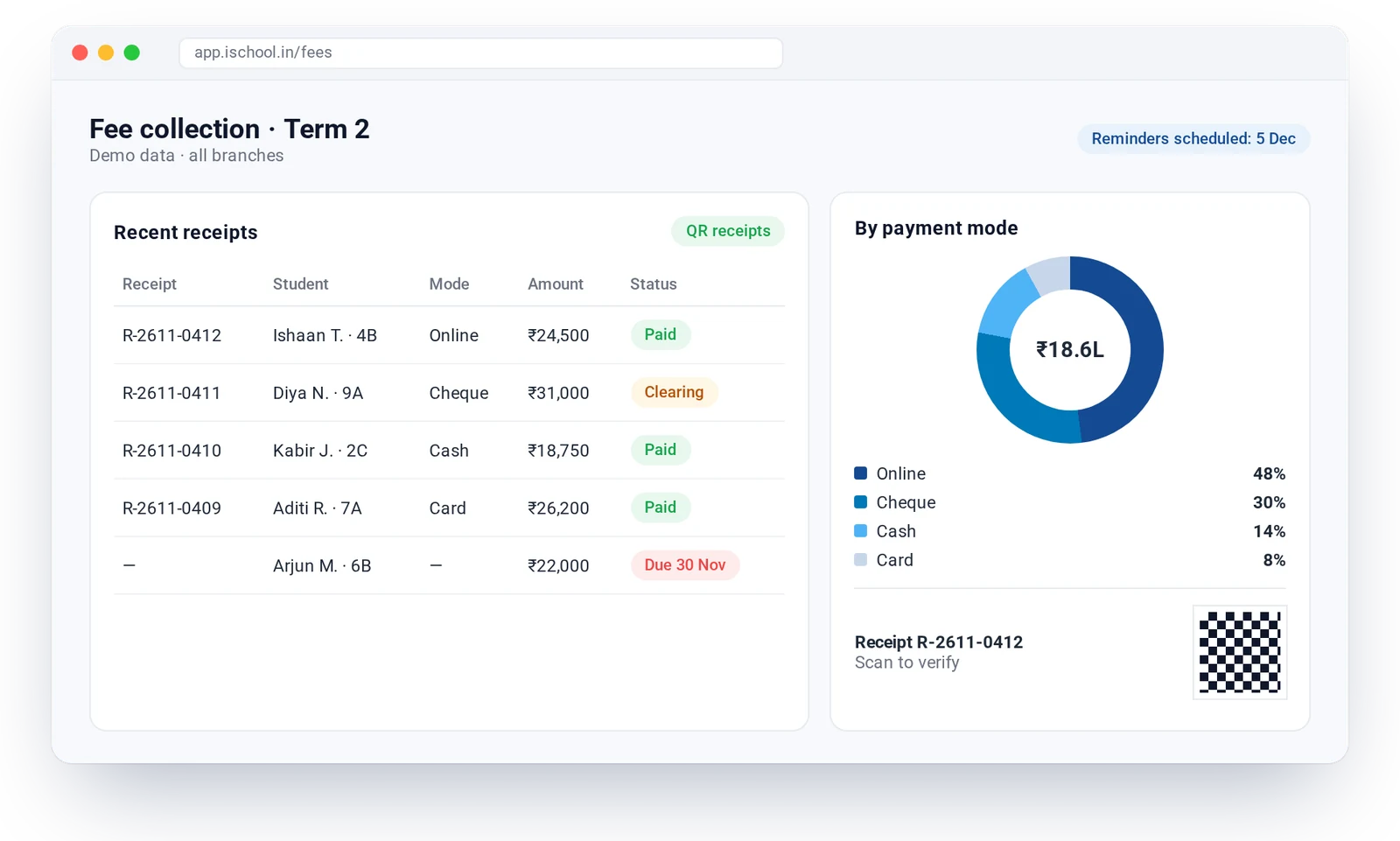
What Fees & Accounts includes
- Dynamic fee structures and concessions
- Online payments through a payment gateway
- Cash, cheque and card at the counter
- Custom receipts with QR code
- Dues reminders to parents
- Bank deposit tracking and workflow
- Income and expense tracking
- Branch finance summary
How Fees & Accounts works
Set the fee structure
Define fee heads, instalments and concessions by class.
Parents pay
Online in the app or at the counter by cash, cheque or card.
Receipt issued
A QR-coded receipt is generated and shared instantly.
Follow up and reconcile
Dues reminders go out automatically and deposits are tracked to the bank.
Fees & Accounts: questions answered
Can parents pay school fees online with iSchool?
Yes. Parents can pay in the iSchool app or a payment link through the school’s payment gateway, and receive a receipt immediately.
What is a QR-coded receipt?
Each receipt carries a QR code that the school can scan to verify it, which helps prevent duplicate or altered receipts.
Works well with
AcuScoreAI
AI scoring of answer sheets that also shows each student’s weak areas, with the teacher in charge of every mark.
Learn moreAdmissions
From first enquiry to enrolment: follow-ups, applications, student IDs and admission trends.
Learn moreAcademics & Timetable
Clash-free timetables, syllabus tracking by class and branch, homework and lesson progress.
Learn moreSee iSchool with your own school’s data
Book a 30-minute walkthrough. We will show you the modules you need and AcuScoreAI on a sample of your papers.