
AcuScoreAI: scores every student and shows where they are weak
AI scoring of answer sheets that also shows each student’s weak areas, with the teacher in charge of every mark.

What is AcuScoreAI?
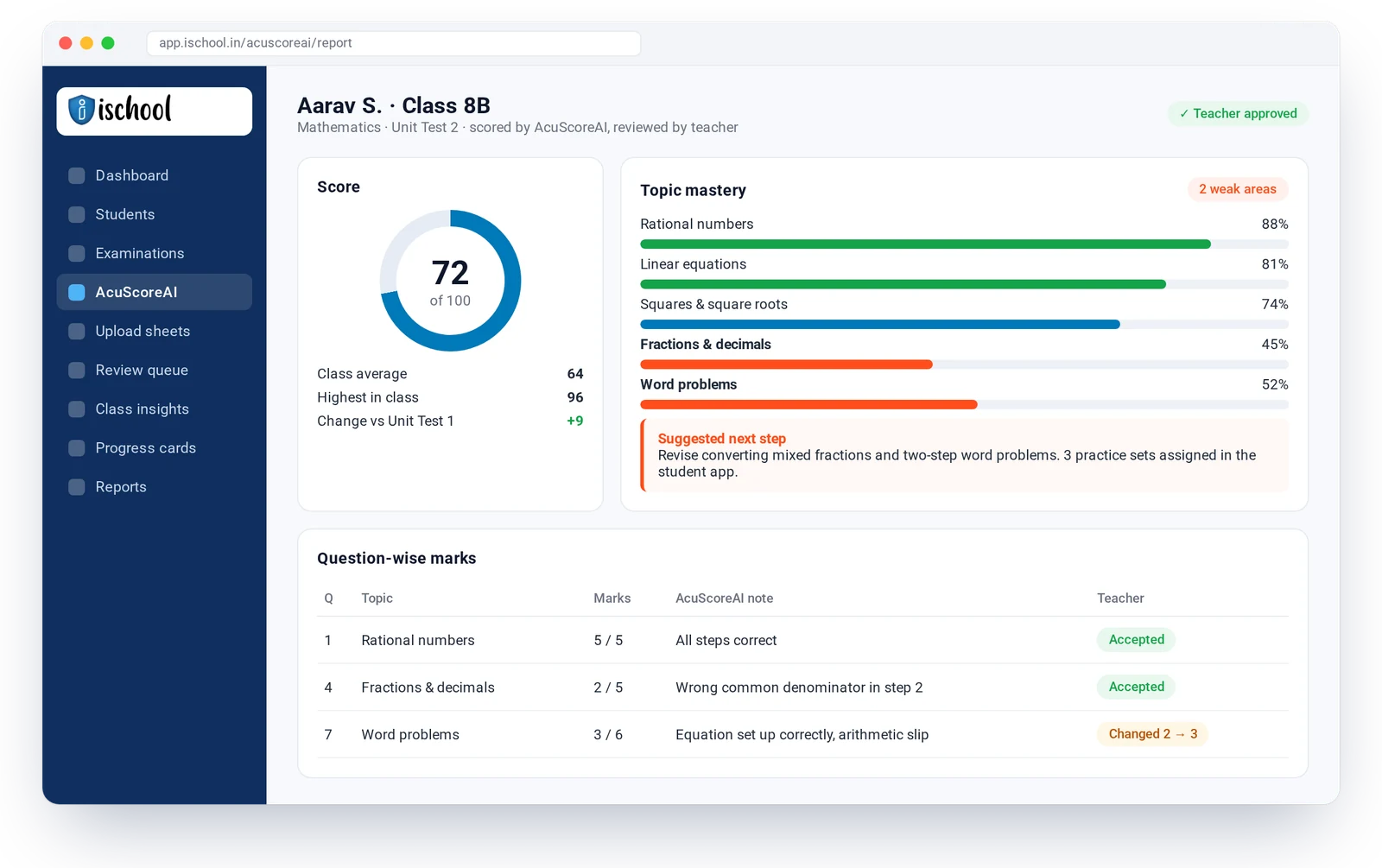
AcuScoreAI is iSchool’s AI scoring assistant. It scores each student’s answer sheet against the school’s own marking scheme, breaks the result down by topic, and flags the topics where the student is weak. Teachers review and approve every mark before results reach students and parents.
What AcuScoreAI includes
- Scores answer sheets against your own marking scheme
- Question-wise marks with a short note on each answer
- Topic and chapter mastery for every student
- Weak areas flagged automatically, class by class
- Teacher review: accept or change any mark, with a record of changes
- Suggested next steps and practice for each weak area
- Class insights: which topics most students missed
- Results flow into progress cards and the parent app
How AcuScoreAI works
Set up the exam
Add the question paper, marks per question and the topic each question tests.
Upload answer sheets
Scan or upload the sheets class by class.
AcuScoreAI scores them
Each answer gets a proposed mark and a short reason.
Teacher reviews
The teacher accepts or changes marks, then approves the class.
Weak areas reach everyone
Students, parents and teachers see the score, the weak topics and what to practise next.
Weak areas, in the family’s hands
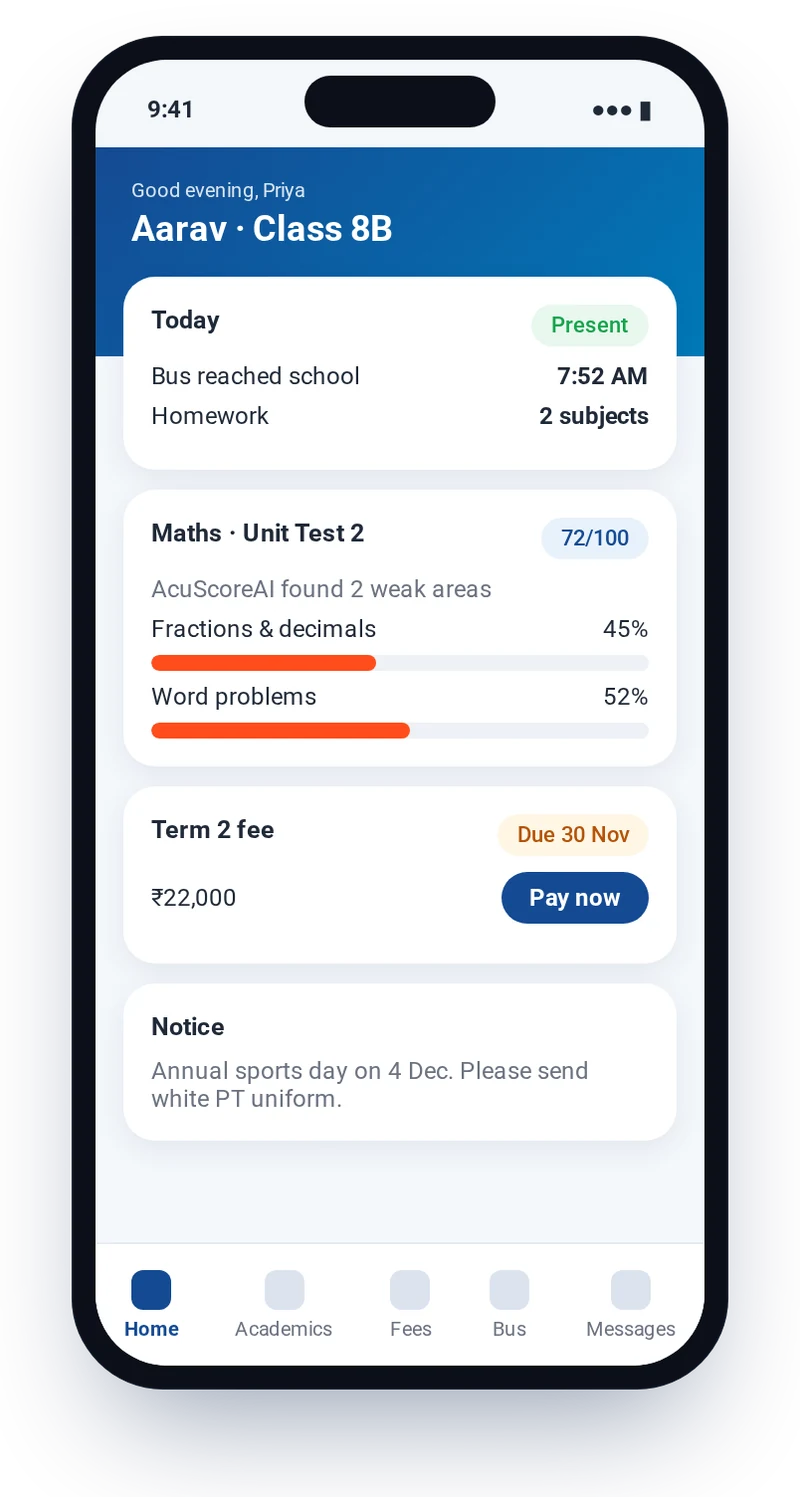
Once the teacher approves results, students and parents see the score, the weak topics and suggested practice in the iSchool app, so the next step is clear at home as well as in class.

AcuScoreAI: questions answered
What is AcuScoreAI?
AcuScoreAI is the AI scoring module in iSchool. It scores answer sheets against the school’s marking scheme and shows, for each student, the topics where they are weak, so teachers know what to reteach and parents know what to practise.
Does AcuScoreAI replace teachers?
No. AcuScoreAI proposes marks and explains them. A teacher reviews every sheet, can change any mark, and approves results before students or parents see them.
How does AcuScoreAI find weak areas?
Each question is tagged with the topic it tests. AcuScoreAI adds up marks by topic for every student and highlights topics that fall below the level the school sets, along with suggested practice.
Can we try AcuScoreAI on our own papers?
Yes. Book a demo and we will walk you through AcuScoreAI using a sample of your school’s papers and marking scheme.
Works well with
AI Lesson & Paper Builder
Draft lesson plans, worksheets and question papers from your syllabus in minutes, then edit them your way.
Learn moreReports & Dashboards
Live dashboards for principals and management, and the reports you need with a plain-English search.
Learn moreParent & Student App
A school-branded app for parents, students and teachers: attendance, marks, fees, bus and notices.
Learn moreSee iSchool with your own school’s data
Book a 30-minute walkthrough. We will show you the modules you need and AcuScoreAI on a sample of your papers.